Android 8.3
 2.0.9
2.0.9 23.8MB

The App Works Omnitutor is Easy to Question or Lecture, and that Makes the data esilly through the accords and tutors can communicate.
[Introduction to Omnitu Tutor App]
Combination of "Mobile Communication Messenger and Data -based Questions or Low Action Tool of Lecture" between Students and Tutors "
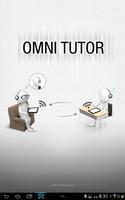
Omnitutor is a mobile app that allows you to easily write data -based video questions or lectures and make it easy to send and receive materials through an account set between students and tutors.
When a student learns to learn his homework or questions to the tutor, the tutor sends a customized lecture to answer the student's questions or check the wrong answer to the student in real time.
Through these interactive communication, students and tutors can feel the realism of studying together anytime, anywhere, and the student's learning effect will increase.
[Main Features]
1. Simple class management function
-The class manager (tutor) can easily create and manage classes and groups.
2. Easy and effective lecture work
-Data (handwriting+speech) lectures that are not video methods (handwriting+voice)
Normally, the video is high, so it is excessive cost of speed and data use when using real -time, while the lecture made with omnituters transmit handwriting data and voice date separately, so the data usage is very low, so it can be used without any burden and transmission is fast.
-When recording of the lecture, the recording function of the lecture only with a smart device and omnitutter app without the need for a separate camera and a person.
-App as notes optimized for handwriting using various digital pens
3. Increase learning effect
-It is expected to increase the learning effect by using the individualized customized lectures that fit the student level.
-The student can see not only the results but also the process, repeated learning, and the learning effect by listening to the tutor's voice.
4. Available on Android -based smart pads and smartphones
[Main function]
1. Create Class/ Members Registration Management
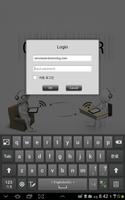
-Www.omnitutor.com Class configuration and member registration management in the administrator mode
2. Data -based lecture (question) Written and played
-Blank Note Making a new river / PDF file, importing image files and adding
-Co record written and voice descriptions together
-Resweight recording/ recording
-It is effectively corrected using four types of pen and color palette
-Crowing unnecessary parts
-Save the lecture by connecting the page after the lecture by page
-Export of the lecture (LEC file)
-Recaying of the lecture - play with voice and handwriting to play
-Document protection setting function when creating LEC with LEC File Export
- "Equil Smart Marker" and "Equil Smart Pen2"
- "Neolab N2 PEN"
- Apply "Pengeneration Pen+ ADP-611" (Android Kitkat or later)
3. Data delivery and management of lecture data
-Alt the lapture file to the tutor/student folder (sending)
-Lecture materials from your Omnituer Directory
-Lecture can also be delivered through email or dropbox
-Playlist, Folder
* Omni Tutor was developed by Omning Co., Ltd. and Batusoft Co., Ltd.
----
Developer Contact:
1661-5671
23,406, Seocho -daero 74 -gil, Seocho -gu, Seoul (Seocho -dong, Seocho Towntra Palace)
Oming Co., Ltd.

 Download APK(23.8MB)